Transcribe Recordings with Speaker Labels
Have a recording with several people talking? Transcribee turns conversations into readable transcripts and separates different voices, making it easier to understand who said what.

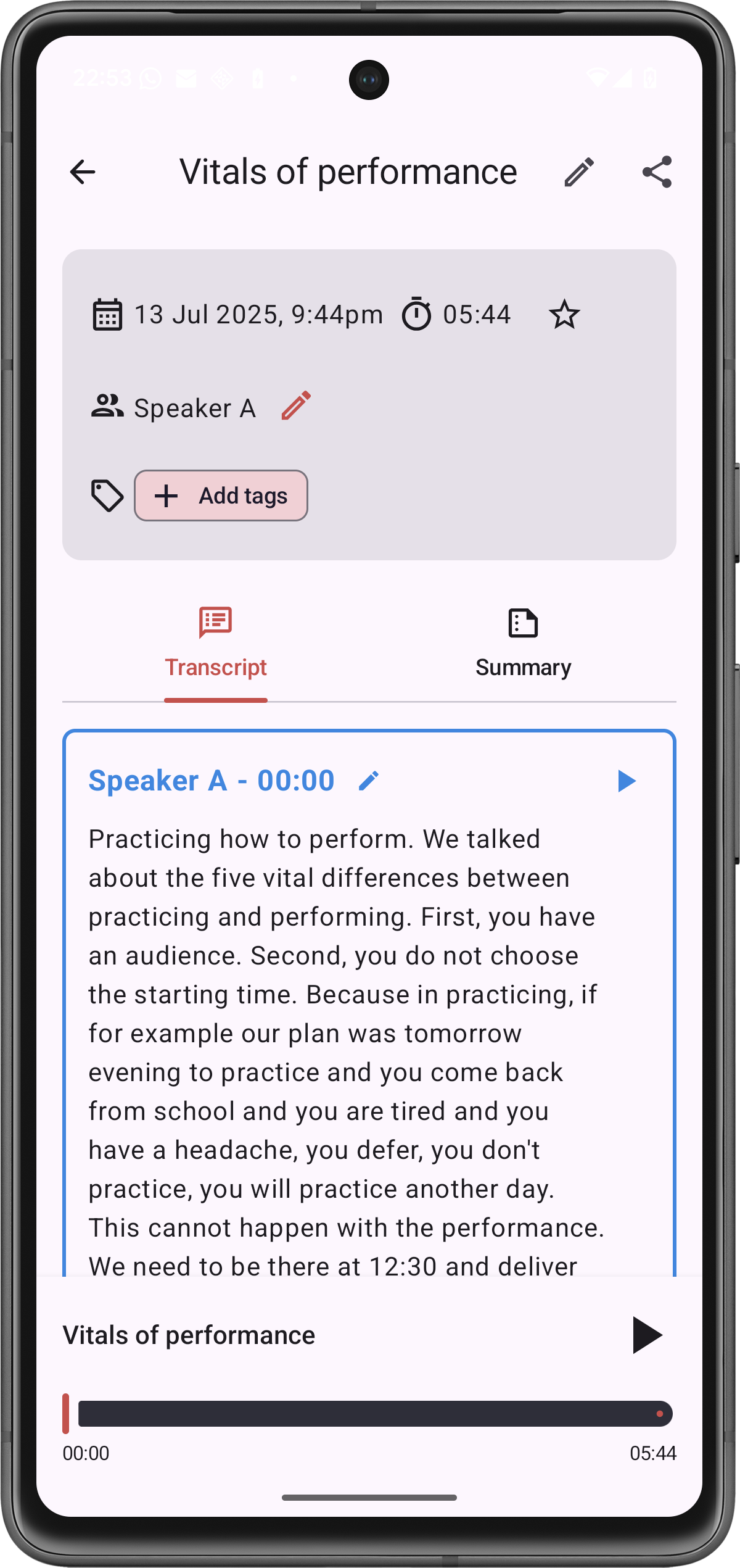
See who said what in a recording
A plain block of text isn't enough when you're transcribing a conversation.
Transcribee uses speaker diarization to separate different voices into individual transcript segments. Instead of trying to work out who was speaking from context, you can follow the conversation speaker by speaker.
After transcription, rename the detected speakers with the participants’ actual names.
What is speaker diarization?
Speaker diarization is the process of determining when different people are speaking in a recording.
It is different from identifying someone’s identity from their voice. Transcribee separates the detected voices into speaker labels; you can then assign the appropriate names yourself.
For example:
- Interviewer — What made you decide to change the process?
- Alex — We were spending too much time doing the same work manually.
- Interviewer — And what happened after the change?
This makes conversations considerably easier to read than a transcript where everyone’s words appear together.
More than speaker separation
Up to 10 speakers
Transcribee supports recordings with speaker detection for up to 10 speakers.
Record or import
Record directly in Transcribee or import an existing audio or video file.
Rename speakers
After transcription, rename detected speakers with the participants’ actual names.
Search the transcript
Search the conversation rather than repeatedly listening to the audio.
AI notes
Generate a concise summary, key topics and action items from the transcript.
Translate
Transcripts and summaries can be translated into other languages.
How it works
- 1
Record a conversation or import an existing recording.
- 2
Start the transcription.
- 3
Transcribee separates different voices into speaker-labelled segments.
- 4
Rename each speaker.
- 5
Edit, search, summarise, analyse or export your transcript.
Supported file types include MP3, M4A, WAV, OPUS, MP4 and MOV. Recordings can be up to 10 hours and 2.1 GB once the free recording-length restriction has been unlocked.
Useful for any multi-speaker recording
Speaker-labelled transcription can be useful for:
Record directly in Transcribee or import an existing audio or video file. Transcribee supports recordings with speaker detection for up to 10 speakers.
Frequently asked questions
Transcribee separates different voices, but it does not identify someone’s real-world identity from their voice. Detected speakers receive labels that you can rename yourself.
Make conversations searchable
Turn recordings with multiple speakers into transcripts you can actually work with.